
Comprehensive tools for modern examinations.
ExamQuik brings rigor, convenience, and transparency to every stage of testing. Below is an honest, detailed breakdown of our current capabilities and planned future developments.
Precise Exam Creation & Dynamic Scheduling
Configure every parameter of your test environment. Define total examination duration, distinct section-specific timers, start/end accessibility windows, and candidate access rules.
- Time Window Bounds: Prevent early or late candidate entrance with synchronized server timestamps.
- Section Constraints: Enforce strict linear progression across test parts or allow free navigation between sections.
- Instructional Briefings: Present mandatory candidate declarations and honor codes prior to timer commencement.
Modular Question Bank Architecture
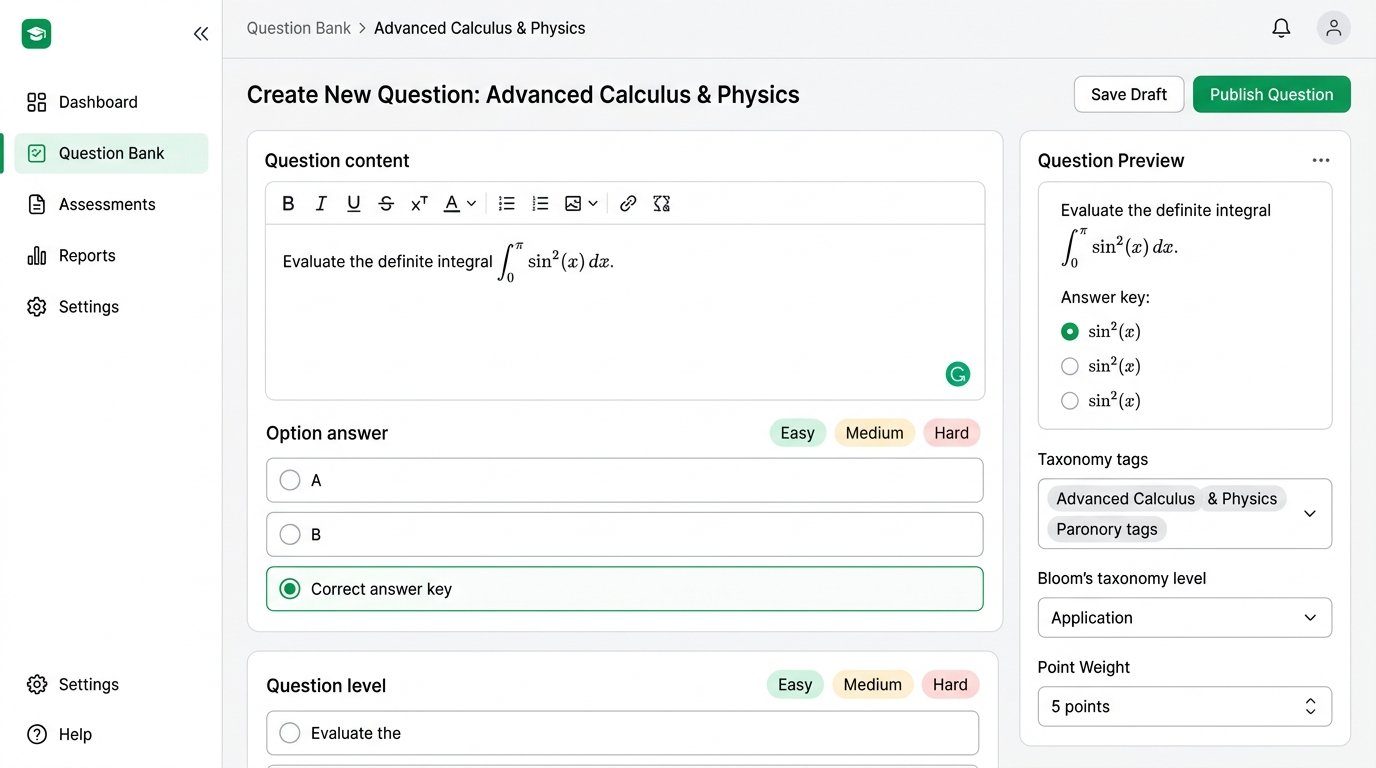
Eliminate duplicate effort each academic semester. Store, categorize, and tag thousands of questions across departments, topics, and complexity levels.
- Taxonomy Tagging: Classify items by cognitive skill (Knowledge, Application, Critical Reasoning).
- Automated Paper Generation: Specify rules (e.g. 15 Easy, 20 Medium, 5 Hard) and let the engine assemble randomized papers.
- Equation & Code Blocks: Full formatting support for scientific formulae and technical syntax.
Instant Automated Scoring & Cohort Diagnostics
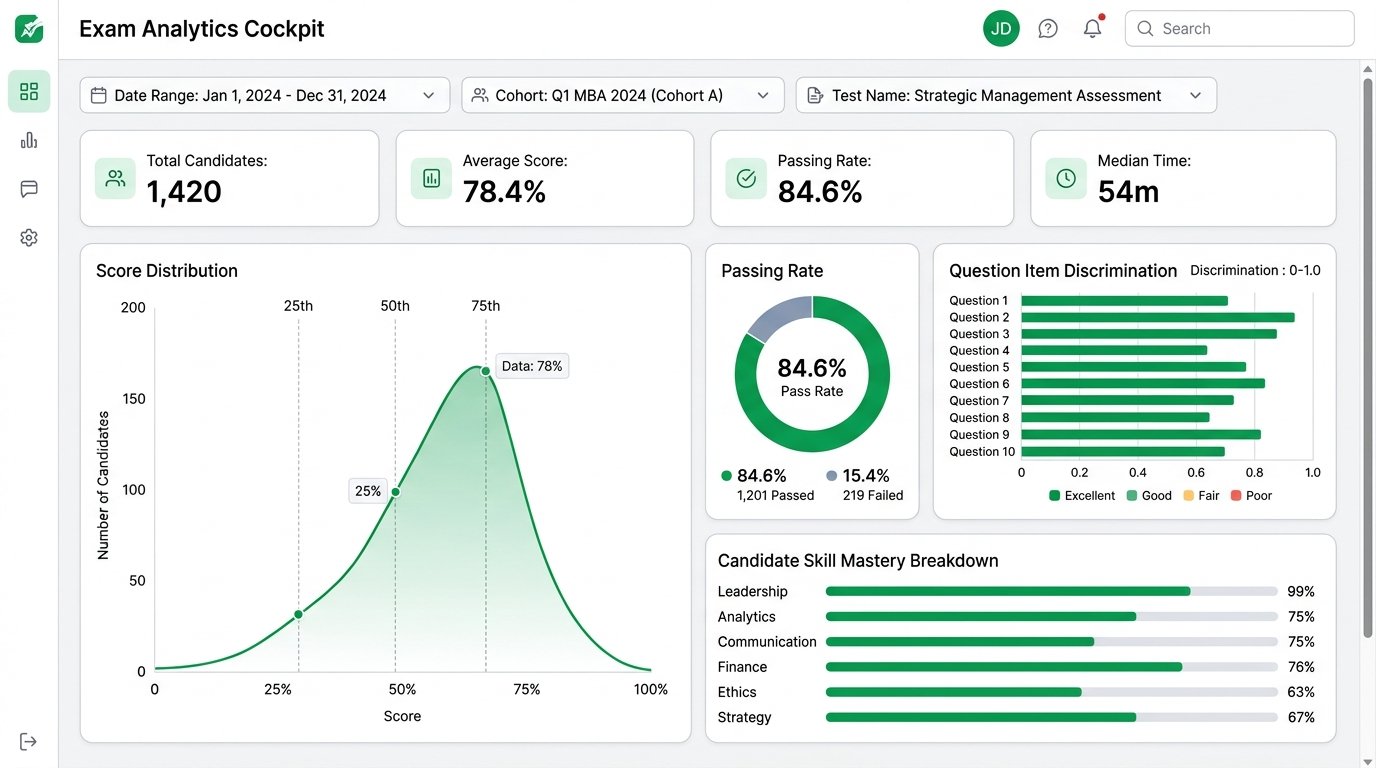
Turn raw assessment data into actionable institutional insights. Instantly score objective questions and generate comprehensive cohort benchmarks.
- Zero-Delay Grading: Eliminate backlogs with instantaneous objective grading.
- Question Discrimination Index: Identify questions that fail to differentiate top performers from struggling students.
- Accreditation Exports: Export CSV and summary PDF reports formatted for academic audit standards.
Distraction-Free Delivery & Live Monitoring
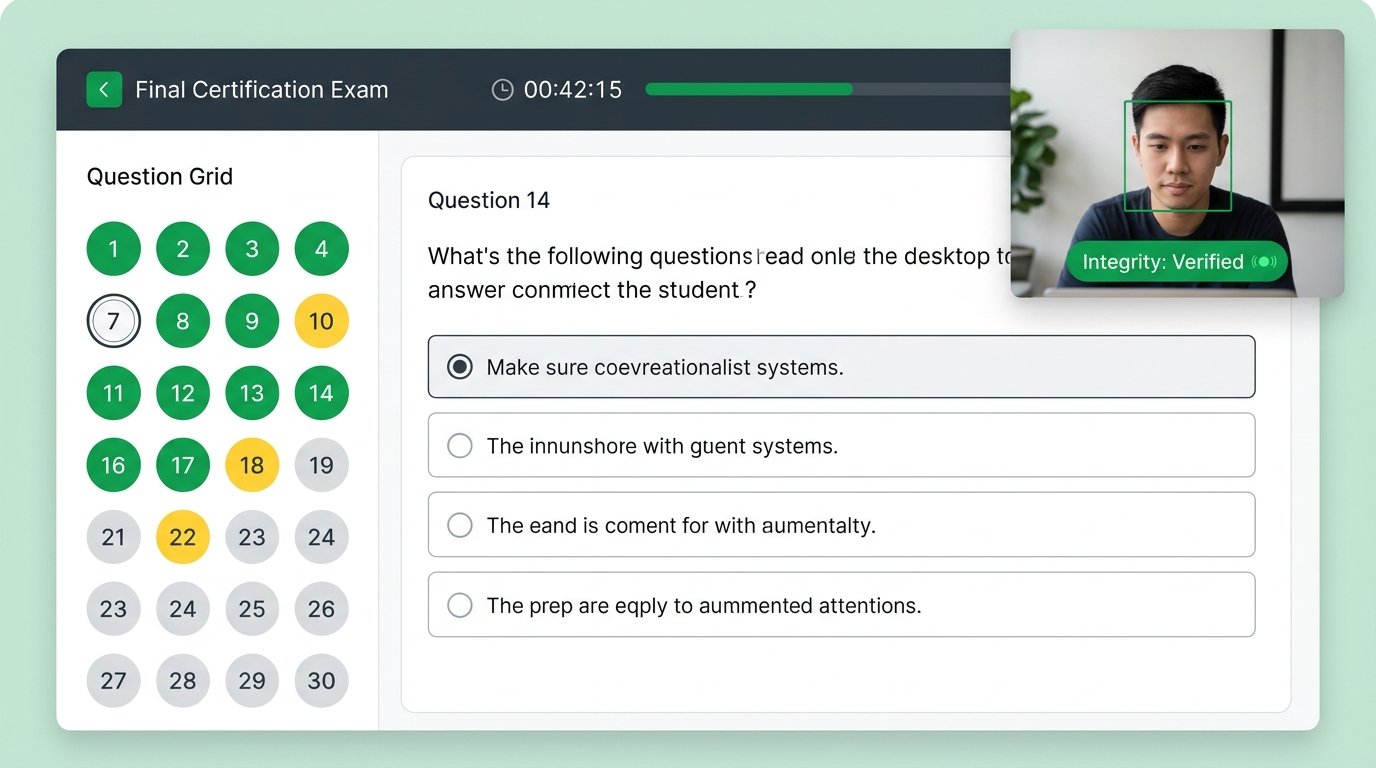
Deliver responsive, accessible exams on any modern desktop, tablet, or mobile browser without requiring third-party software downloads.
- Continuous Local Autosaving: Immediate network recovery ensures no student answers are lost.
- Interactive Question Palette: Visual indicators for answered, flagged, and review-pending questions.
- Full-Screen Window Locking: Alerts the student and flags administrative logs if the test window loses focus.
Current Functionality vs. Planned Capabilities
We believe in complete clarity with our institutional partners. Here is an explicit distinction between what is currently live and what is on our engineering roadmap.
Currently Implemented & Live
- ✓ Full exam scheduling with server-side time boundaries
- ✓ Multi-format question banks (MCQ, Multi-select, Fill-in)
- ✓ Automatic scoring engine for objective assessments
- ✓ Candidate test interface with autosave and question navigator
- ✓ Cohort performance distributions and percentile calculation
- ✓ Secure CSRF, rate-limited inquiry channels & lead storage
Planned Future Capabilities
- • LMS Integration (Canvas, Moodle, Blackboard LTI 1.3 standards)
- • Automated webcam snapshot verification (Planned release)
- • Advanced offline test synchronization for low-connectivity centers
- • Native coding sandbox with compiler execution (Python, Java, C++)
- • White-label domain and institutional single-sign-on (SAML / OAuth)